Platform Migrations
Steps toward a successful migration: from clean data to scalable systems
A successful CRM migration rests on three foundations: a clear migration plan, clean and well-governed data, and a system designed for reliable reporting and future growth. Moving data without understanding its structure, quality and purpose simply transfers existing problems into the new platform.
20 October 2025 · 10 min read · by Dorina Dibra Axhirexha
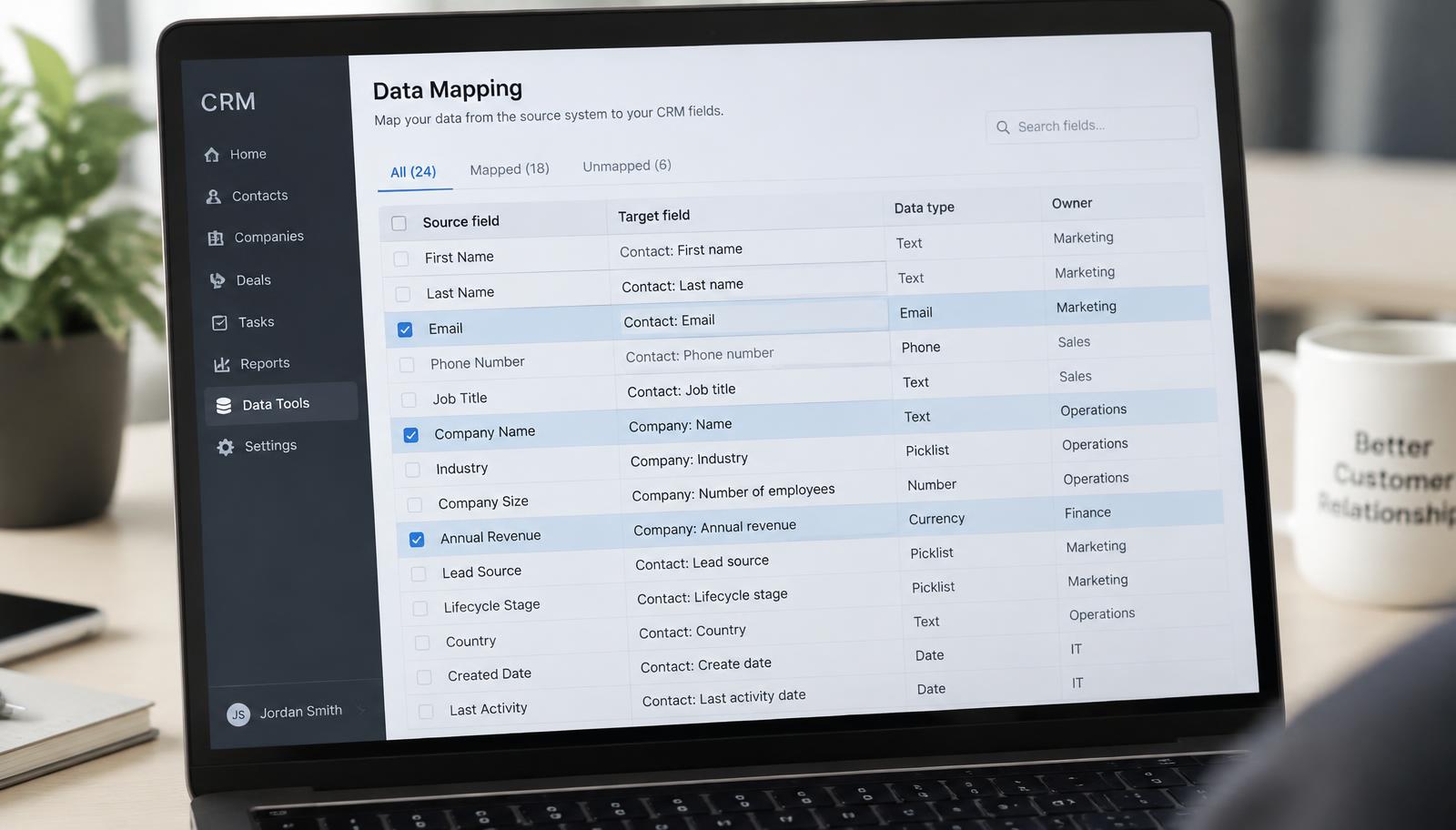
A CRM or marketing automation migration is much more than moving records from one platform to another. It is an opportunity to improve data quality, standardize processes, strengthen reporting, and build a technology foundation that supports business growth.
Regardless of your current or destination platform, success depends on the decisions made before, during, and after the migration. Moving data without understanding its structure, quality, and purpose can simply transfer existing problems into a new system.
A successful migration starts with a clear plan, reliable data, and a long-term vision for how the new system will support the business.
1. Start With a Clear Migration Plan
A well-defined migration plan provides direction, reduces risk, and helps ensure that technical implementation aligns with business requirements.
Before moving a single record, it is important to understand the existing environment: which systems are involved, how data flows between them, which processes depend on that data, and what the new platform needs to achieve.
A structured migration plan should cover:
- Business objectives: Define why the migration is happening and what success looks like. Is the goal to improve reporting, consolidate systems, automate processes, or create a more reliable view of the customer?
- Data mapping: Identify which fields and records need to be migrated, how existing fields correspond to the new platform, and where new properties or structures are required.
- Process and dependency analysis: Document workflows, integrations, lifecycle stages, lead routing, scoring models, and other processes that depend on existing data.
- Data ownership and governance: Establish who owns key data points, which values are authoritative, and how inconsistencies will be resolved.
- Testing and validation: Define how migrated records, associations, calculations, workflows, and reports will be checked before the new system goes live.
- Phased execution: Break the project into manageable stages, allowing teams to validate results and address issues before moving forward.
The plan should also account for exceptions, dependencies, and decisions that may affect the migration timeline.
Skipping discovery often leads to rework. A field that appears unnecessary at first may support a critical workflow or report. An association that looks straightforward may be essential for understanding relationships between contacts, companies, and opportunities.
The objective is not simply to replicate the old system. It is to build a new environment that supports the way the business needs to operate.
2. Clean Your Data Before Migration
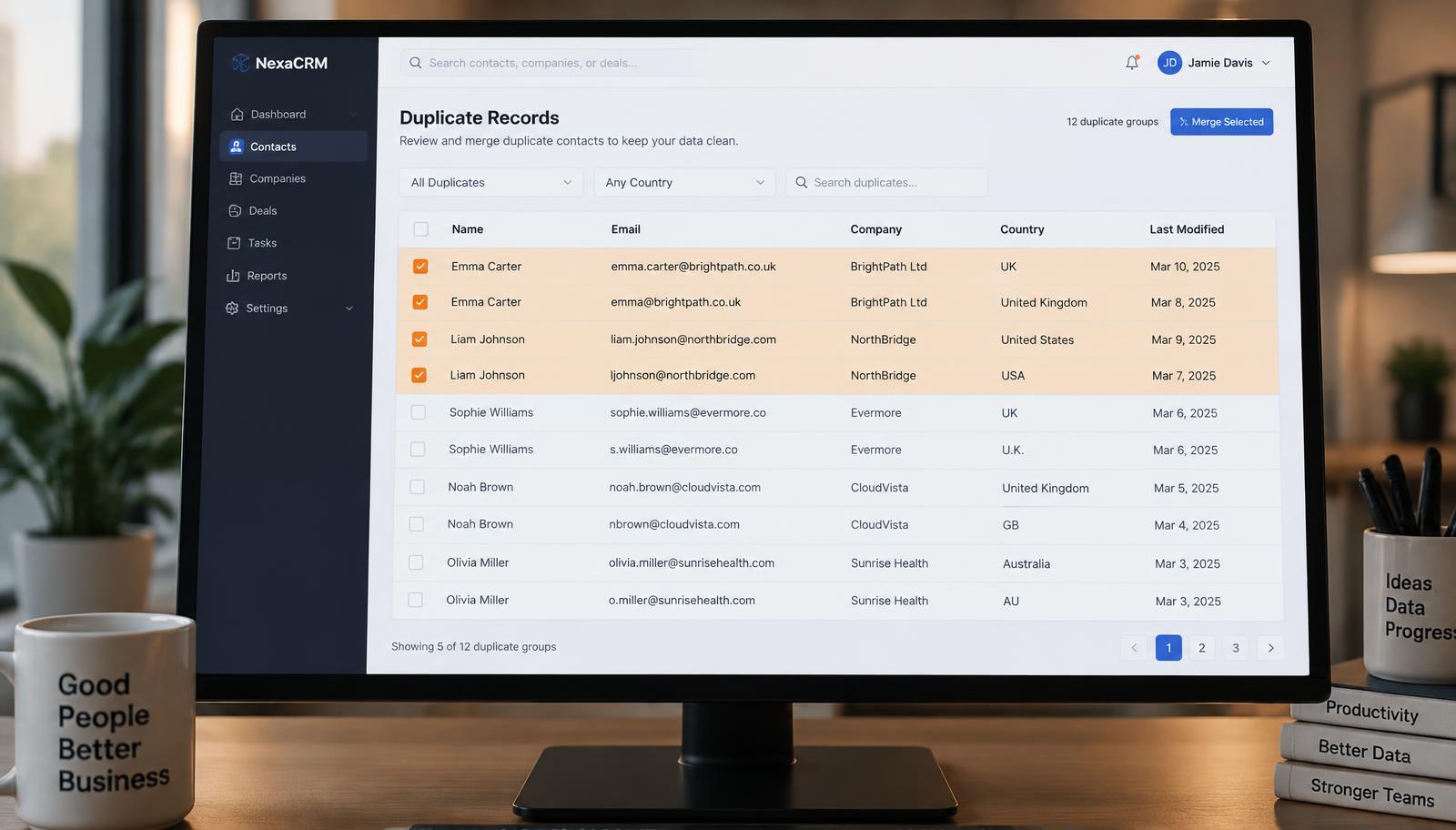
Data quality is one of the most important factors in a successful migration. If the source system contains duplicates, outdated records, inconsistent naming conventions, or incomplete information, moving everything into a new platform will not solve those problems.
In many cases, migration is the best opportunity to address accumulated data issues before they spread into a new environment.
How to prepare your data
Audit the existing database.
Start by assessing the current state of the data. Identify duplicate contacts and companies, invalid email addresses, missing identifiers, inconsistent field values, obsolete records, and properties that are no longer used.
Review not only the records themselves but also their relationships. Incorrect company associations, missing contact-to-opportunity links, and inconsistent ownership can create problems even when individual records look accurate.
Define what should be migrated.
Not every record or property needs to move to the new platform. Determine which data is relevant to current business processes, reporting, compliance requirements, and historical reference.
Agree on retention requirements and exclusion criteria before removing or omitting records. Historical data may still be important for legal, operational, or analytical purposes, even if it is not actively used by sales or marketing teams.
Standardize values and structures.
Establish consistent formats for fields such as country, industry, job title, lifecycle stage, lead status, and company name. Review picklists, date formats, phone numbers, and other fields that may have been populated differently across systems.
Standardization makes data easier to search, segment, automate, and analyze.
Resolve duplicates and validate records.
Use reliable identifiers, such as CRM record IDs, normalized email addresses, and verified company domains, where appropriate. Apply clear matching rules and review ambiguous matches manually.
Avoid relying on a single field when it could incorrectly merge distinct people or organizations. Duplicate resolution should preserve valuable information and relationships rather than simply deleting records that look similar.
Test the migration with a sample.
Before importing the entire database, migrate a representative sample that includes typical records, edge cases, and complex associations. Validate field mappings, record counts, ownership, and relationships. This helps uncover issues before they affect the full dataset.
Data hygiene must continue after migration
Cleaning data once is not enough. Without ongoing controls, the same problems will gradually return.
A sustainable approach to data hygiene combines technology, processes, and accountability:
- Validation rules: Require essential fields and enforce acceptable formats where appropriate.
- Standardized inputs: Use controlled picklists, consistent naming conventions, and clearly defined property values instead of unrestricted free-text fields wherever possible.
- Automation: Use workflows and integrations to normalize values, flag missing information, identify potential duplicates, and keep properties synchronized.
- Enrichment and verification: Establish rules for validating and refreshing key information, with clear expectations about data sources and update frequency.
- Ownership and monitoring: Assign responsibility for critical data and regularly review completeness, accuracy, and consistency.
The goal is to make the correct way of entering and maintaining data the easiest way for teams to work.
A well-designed CRM should not depend entirely on users remembering every rule. It should guide users toward consistent behavior and identify problems before they affect downstream processes.
3. Build Reliable Reports on Reliable Data
Reporting is often one of the main reasons businesses invest in a new CRM or marketing automation platform. Teams want better visibility into pipeline performance, campaign effectiveness, conversion rates, revenue, and customer engagement.
However, even the most sophisticated reporting tools cannot compensate for unreliable underlying data.
A dashboard may look polished while presenting a misleading picture of the business. If lifecycle stages are applied inconsistently, opportunity values are missing, or lead sources are incorrectly recorded, the resulting metrics will not provide a dependable basis for decision-making.
Data structure determines reporting quality
Before building reports, define the business rules behind the metrics.
For example:
- What qualifies as a marketing-qualified lead?
- When should a contact be considered a customer?
- Which date determines when an opportunity entered a pipeline stage?
- How should revenue be attributed across campaigns, business units, or reporting periods?
- Which system is the source of truth for each metric?
These definitions should be consistent across teams and implemented in the underlying CRM properties, processes, and integrations.
The relationship between records matters just as much as the values stored within them. Linking contacts to the correct companies and opportunities enables more meaningful analysis of buying groups, account activity, pipeline contribution, and revenue.
Similarly, preserving relevant historical data can be essential for understanding performance over time. Overwriting a field without retaining the previous value, for example, may make it impossible to reconstruct how a record progressed through a process.
Think about reporting before the migration
Reporting requirements should influence the migration design from the beginning.
Identify the reports the business needs, determine which fields and relationships support them, and verify that the target system can represent the required information.
This may reveal gaps in the existing data model. A business that needs to report revenue by year, for example, may require a more structured approach than storing multiple years of figures in a single text field.
Addressing these requirements before migration is generally more efficient than rebuilding the data model after teams discover that their reports cannot answer important questions.
Reliable reporting starts with reliable data, clear definitions, and a structure designed to support the questions the business needs to answer.
4. Design the Migration for Scalability
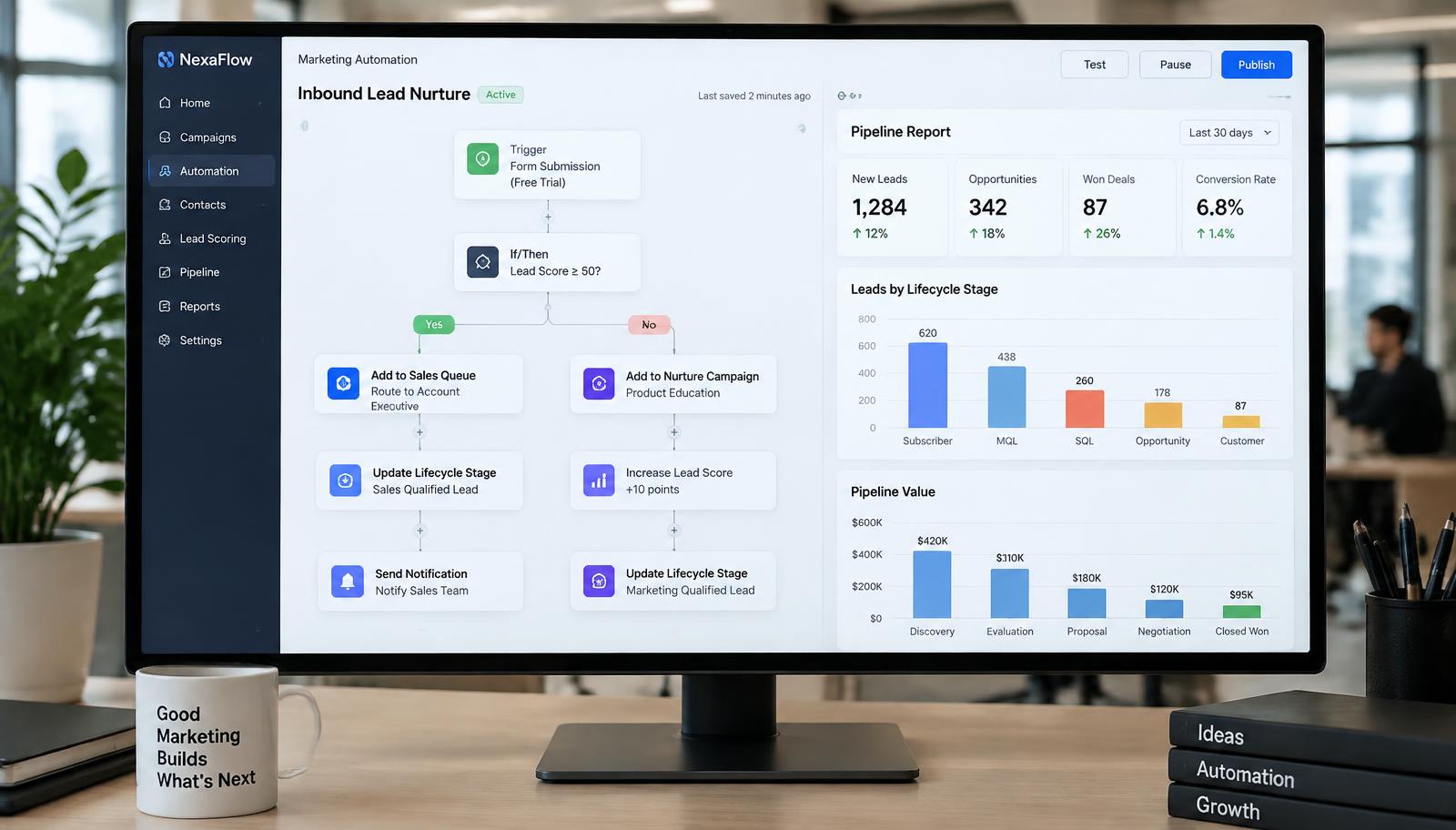
A migration should not only solve today's problems. It should create a foundation that can accommodate future growth, new processes, additional integrations, and evolving reporting needs.
A system that works for a small team with a limited number of records may become difficult to maintain as the business expands. Poorly structured properties, inconsistent processes, and excessive manual work can quickly turn into operational bottlenecks.
Scalability begins with intentional design.
Build a data model that supports growth
Choose an appropriate structure for the information the business needs to manage. Define the relationships between contacts, companies, opportunities, products, subscriptions, or other relevant entities.
Avoid storing multiple unrelated values in a single property when they need to be reported on, updated, or automated independently. Use structured fields and related records where the platform supports them and the business requirements justify them.
A well-designed data model makes it easier to introduce new reporting dimensions, extend processes, and integrate additional systems without repeatedly redesigning the foundation.
Standardize processes and automation
Document naming conventions, workflow logic, lifecycle definitions, ownership rules, and integration requirements.
Consistent standards make systems easier to troubleshoot and maintain, particularly when multiple teams or external partners are involved.
Automation should also be designed with future changes in mind. Clear enrollment criteria, deliberate re-enrollment rules, exception handling, and appropriate safeguards reduce the risk of workflows producing unintended results as the database grows.
Where possible, separate reusable operational logic from temporary migration activities. This makes it easier to distinguish one-time data corrections from ongoing business processes.
Make integrations and data ownership explicit
As organizations grow, information often moves between several platforms. Marketing automation, CRM, billing, analytics, customer support, and enrichment tools may all update or consume the same data.
Define which system owns each critical field, how updates are synchronized, and how conflicts are handled. Without these rules, integrations can introduce inconsistent values or overwrite information unexpectedly.
Clear ownership and well-documented data flows reduce complexity and make future integrations easier to introduce.
Validate continuously
Scalable systems require ongoing monitoring. Track data completeness, duplicate rates, integration failures, workflow errors, and the accuracy of key reports.
These checks help teams identify emerging problems before they become widespread. They also provide a measurable way to evaluate whether the system continues to support business needs after the migration project ends.
When the underlying structure is sound, expansion becomes a process of extending an established framework rather than rebuilding it from scratch.
5. Treat Migration as the Beginning, Not the Finish Line
A migration project is often considered complete when the data has been imported and users can access the new platform. In reality, go-live is only one milestone.
The final stage should include record validation, association checks, workflow testing, integration verification, report reconciliation, and user enablement. Teams need to understand not only how to use the new system but also the processes and data standards that keep it reliable.
Establish a clear process for reporting issues, prioritizing fixes, and monitoring performance after launch. Review whether the original migration objectives have been achieved and identify improvements that should be addressed in subsequent phases.
This is particularly important when migrating complex environments with multiple systems, large databases, or business-critical workflows. A controlled rollout with clear validation criteria provides greater confidence than a one-time import followed by reactive troubleshooting.
The most successful migrations are not necessarily those that move the largest amount of data in the shortest time. They are the ones that leave the business with a system it can trust, maintain, and develop.
Final Thoughts
A successful migration is built on three essential foundations: a clear plan, clean and well-governed data, and a system designed for reliable reporting and future growth.
Planning helps teams understand what needs to move and why. Data hygiene ensures that the information entering the new platform is useful and trustworthy. Thoughtful data modeling and automation make it possible to scale without introducing unnecessary complexity.
When these elements are addressed from the beginning, migration becomes more than a technical exercise. It becomes an opportunity to improve operational efficiency, strengthen decision-making, and create a technology environment that supports the business as it evolves.
The real measure of a successful migration is not simply whether the data made it to the new platform. It is whether the business can use that data more effectively than before.
Common questions
What should a CRM migration plan include?
Business objectives, field-by-field data mapping, process and dependency analysis, data ownership and governance rules, a testing and validation approach, and phased execution.
Should we clean our data before migrating?
Yes. Audit the database, decide what really needs to move, standardise values, resolve duplicates and test with a sample before importing everything. Otherwise the new platform inherits the old problems.
How do we keep data clean after the migration?
Combine validation rules, standardised inputs, automation, enrichment and verification, and clear ownership with regular monitoring, so the correct way to enter data is also the easiest.
Is go-live the end of a migration?
No. Go-live is one milestone. Record validation, workflow and integration checks, report reconciliation and user enablement should follow, with a clear process for reporting and fixing issues.
Ready to Plan Your Migration?
Would you like to discuss your requirements in more detail and receive a tailored migration quote?
Share your completed checklist with us, and we'll help you identify the key requirements, potential risks, and next steps for your project.
Let's build a migration plan that gives your business a reliable foundation for growth.